Your chart. Any key. Any instrument.
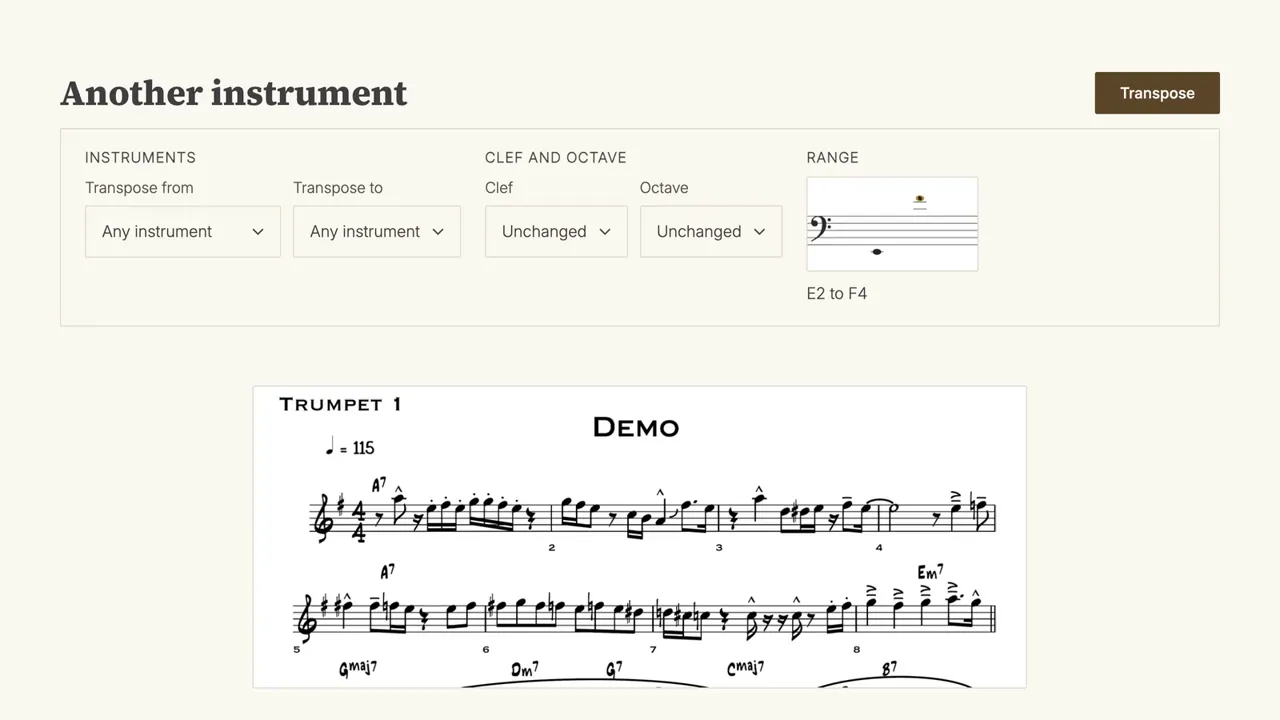
Drop in a PDF or a photo. Get it back transposed, looking just like the original.
Drop a PDF or a photo
How it works
- 1
Upload
A PDF, or a photo of the chart on your stand.
- 2
Choose a key or instrument
Pick an interval, or the instrument you play.
- 3
Download
A clean PDF in the new key, laid out like the original.
See what moves, and what stays put
Real charts, transposed by NewKey. Pick a version under each one to see it.
A new key, or a new instrument
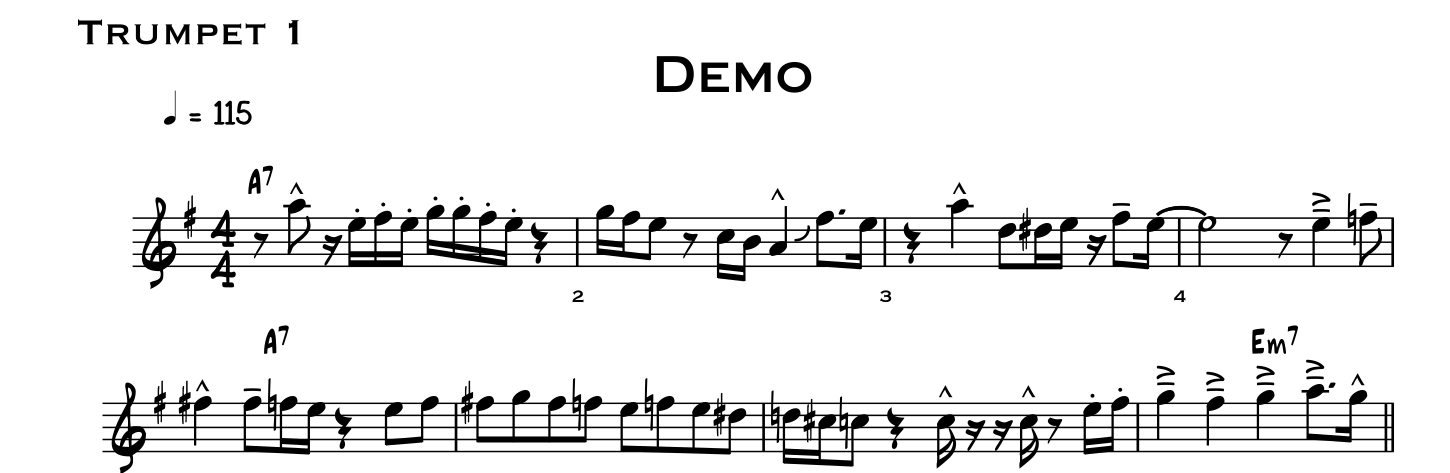
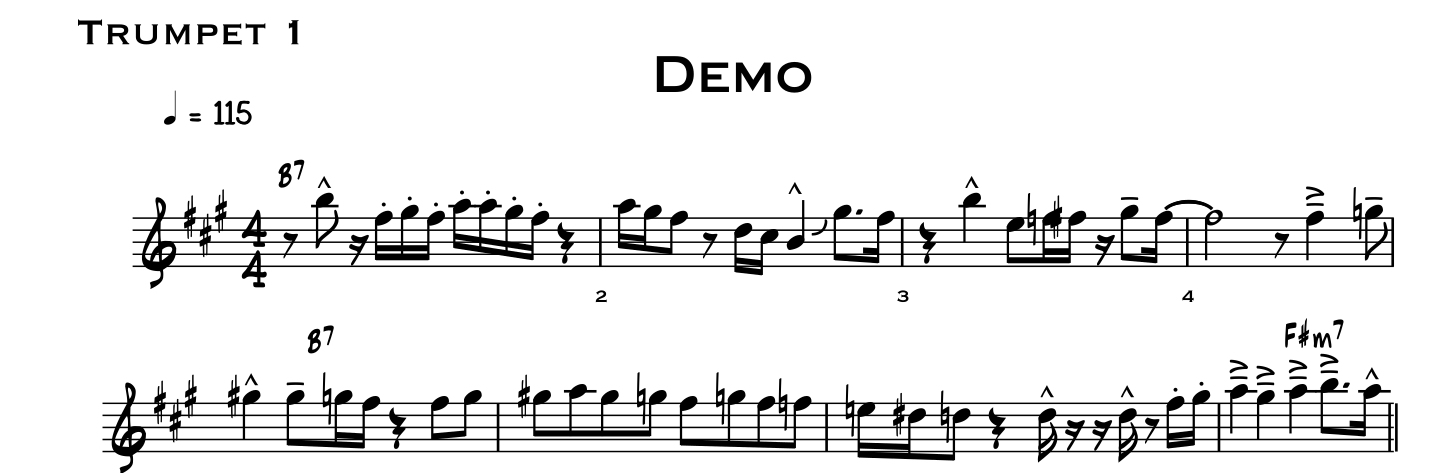
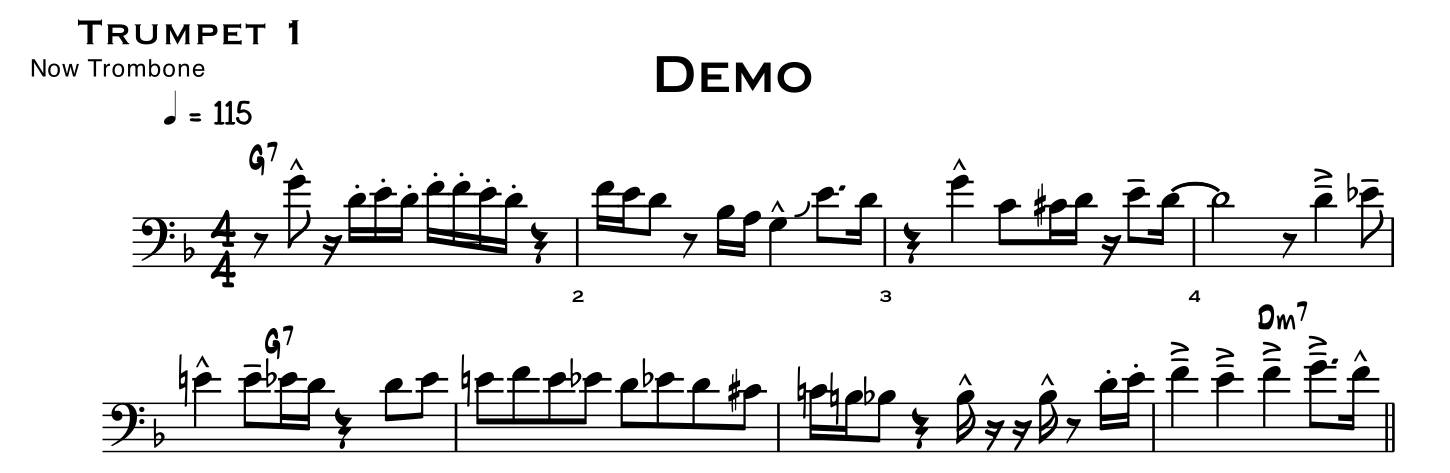
The notes, the key signature and every chord symbol move together. For another instrument, the clef and the octave are worked out for its range.
OriginalTrumpet part, in G
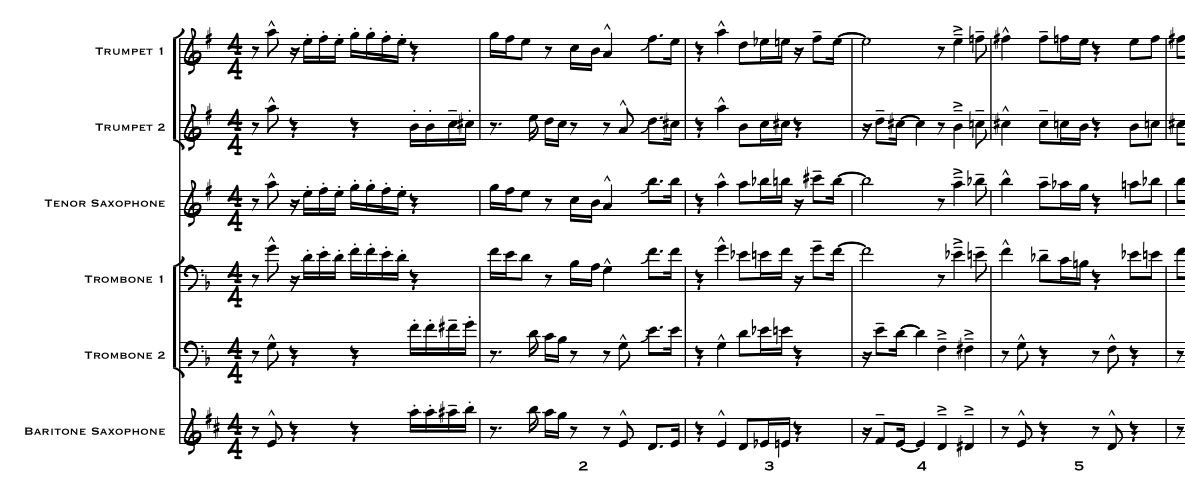
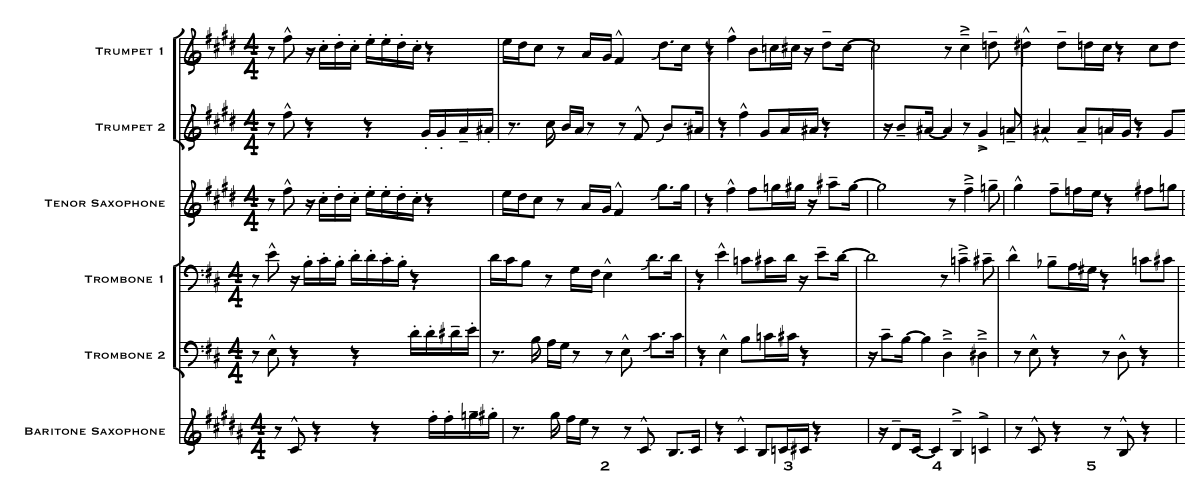
A whole score at once
Every part moves into its own new key, and the layout stays put.
OriginalSix parts, each in its own key
Who it's for
Singers
The band's chart, moved to where your voice sits, chords and all.
Instrumentalists
Concert pitch to your instrument, or another instrument's part to yours, with the interval and clef worked out for you.
Worship teams
A new leader, a new key. The whole band's charts move with it, not just the chord sheet.
Band directors
When a chart calls for instruments you don't have, move those parts to ones you do.
And anyone else with a chart in the wrong key, or for the wrong instrument.
No guesswork
No LLMs, no generative AI
A PDF is transposed from the notation already in it. Nothing is made up.
Our own scan reader
Photos and scans are read by a model we built, not a third party.
Your charts stay yours
Nothing you upload is used to train anything.
Pay only for results
If a page or a chord doesn't move, or our checks can't confirm the result, your credits come back.
Pay as you go
No subscription. Buy credits when you need them.
Start free. 30 free credits when you sign up, and 70 more when you confirm your email.
100 credits
$5About 10 lead sheets
400 credits
$15About 40 lead sheets
1000 credits
$30About 100 lead sheets. Best value.
Questions
What does it cost to transpose a chart?
One credit for each staff. A one-page lead sheet with ten staves costs ten credits. Credits start at $5 for 100 and never expire. Three photos or scans a month are free; PDFs exported from notation software always use credits. You always see the price before you spend anything.
What kind of file can I upload?
A PDF, or a photo or scan of your chart. PDFs exported from notation software like Sibelius, Finale, Dorico or MuseScore give the best results.
What if my part is a scan or a photo?
That works too. NewKey reads the page with its own recognition model, then transposes it. For the best result, photograph the page flat and in good light. If any page or chord doesn't move, you aren't charged.
Will the transposed chart still look like my chart?
Yes. NewKey moves the notes on your own page instead of redrawing it, so the layout, fonts and page turns stay just as they were.
How long do you store my charts?
For seven days, so you can open your charts again from your dashboard. Then they're deleted automatically, or straight away if you delete your account. After that we keep only a record of the job, not the music, and nothing you upload is used to train anything.
Do you use AI?
Not the kind you're thinking of. PDFs are transposed by the rules of music, with no AI at all. Photos and scans are first read by a small model we built to recognise notes, clefs and accidentals. No LLMs or generative AI are used anywhere, and your charts never go to an outside AI service.
Try it on your own chart
Drop it in and see it in a new key.
Drop a PDF or a photo